Ladder Logic Editor
A Ladder Logic editor is coming to Rungs Studio — visual rung-based editing alongside Structured Text in the same browser-based PLC simulator at rungs.dev.
Ladder Logic was always planned as the main language at rungs.dev (hence the name). It wasn't my first choice for the MVP because building such an editor takes a lot of effort, and Monaco is readily available. Structured Text was a reasonable choice to ship quickly.
PLC Simulator Online
Another reason I started with Structured Text is that I didn't want rungs.dev to compete with my other project - PLC Simulator Online.
rungs.dev Studio is a different product. It's focused on AOI-style development: tags, tests, simulation, trends, and versioned .rungs files. Starting with Structured Text let me ship that core workflow first, then return to Ladder with a clearer scope.
In the long term, I hope rungs.dev Studio will replace PLC Simulator Online. PLC Simulator Online will continue to be available as a mobile alternative.
Survey results
For the past three weeks, we've been running a survey asking, "Which PLC language do you want to practice?" The vast majority of you answered Ladder Logic, so the next feature I'm working on is a Ladder Logic editor.
215 total votes.
What Ships First
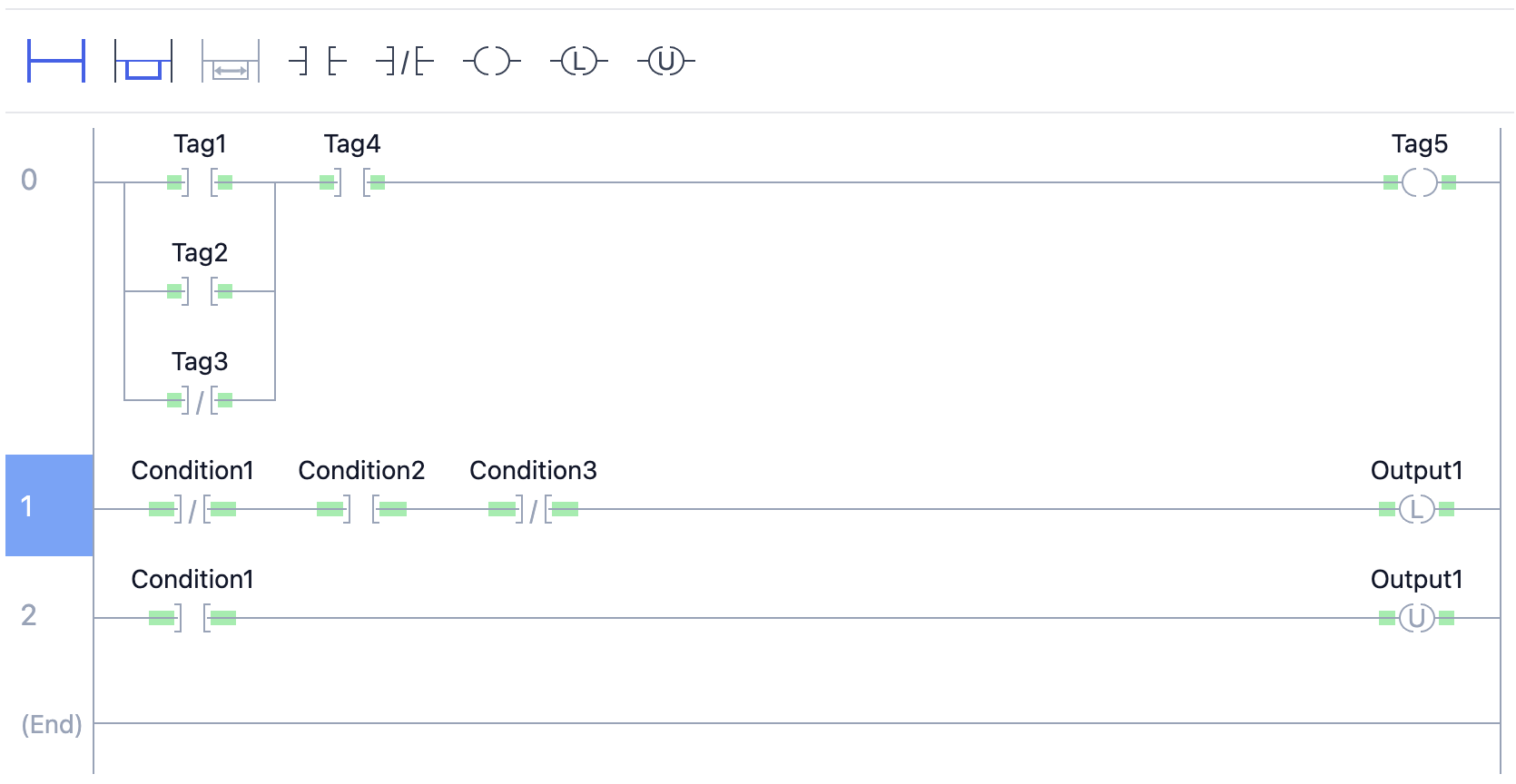
Planned for the first release:
- Rung editor, single-level and multi-level branches
- Contacts and coils
- Timers/counters, math/compare, and one-shot instructions
- Selection and drag/drop editing
- In-browser simulation with contact/coil highlighting and integer value updates
What's Next
After the basics are stable:
- Create tag from editor
- Tag autocomplete/picker in instruction fields
- Rung comments
- Copy/paste and undo/redo
- Keyboard shortcuts for edit actions
Feedback
If you use Ladder daily, tell me which instructions you'd like to see next.
Share feedback via the survey.
rungs.dev Manifesto
rungs.dev is a browser-based PLC playground for isolating, simulating, and documenting Add-On Instructions — no hardware, no Studio 5000 license required.
Rungs Studio 0.7.0
Rungs Studio 0.7.0 release notes — inline tag editing on rungs, expression-based array indexes, Logix-grade arithmetic, and printable Add-On Instructions.